Resources · Attribution

Pre-launch attribution checklist

A printable checklist for the week before a site or campaign goes live: search tools, campaign tags, click and form events, consent, the CRM record and a dated baseline. Each item says why it matters and how to check it.

Checklist · Updated · Free to use and share with a link to this page.

Plan your launch
Overview

Measure the first lead before you need the numbers.

Launch day is the worst time to learn that a form never told analytics anything, or that every lead arrived as "direct". Attribution is cheap before the first visitor and impossible to rebuild for the weeks you missed. This list covers what each tool must record, and one test that proves it. Crawling and indexing belong to the technical SEO checklist.

Open the analytics debug view, the CRM and the inbox that receives new leads, and date the page before you start.

Attribution path

One lead, traced through every tool.

Follow one test lead from the link it clicked to the record it became, then write down where every number starts.
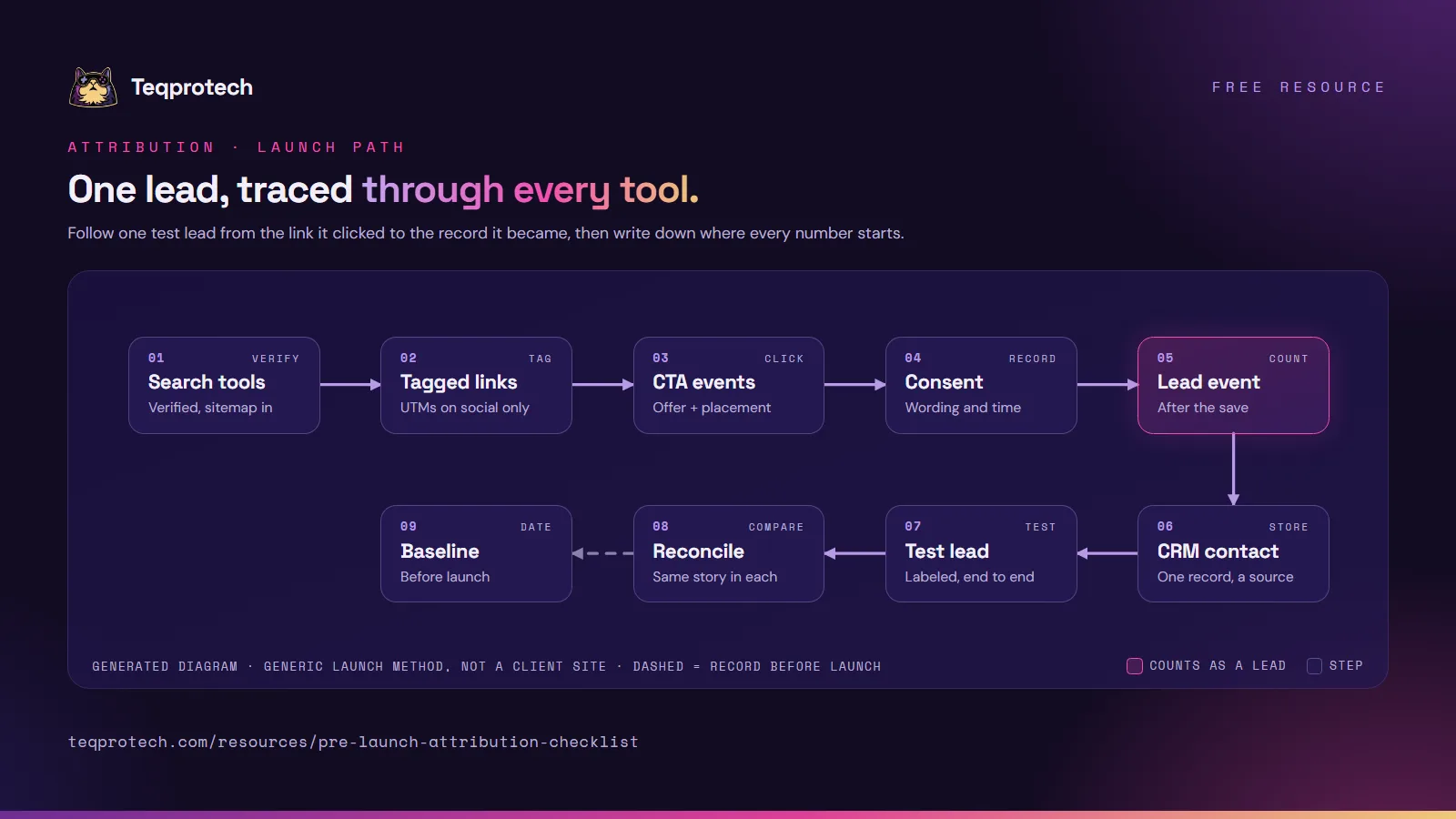
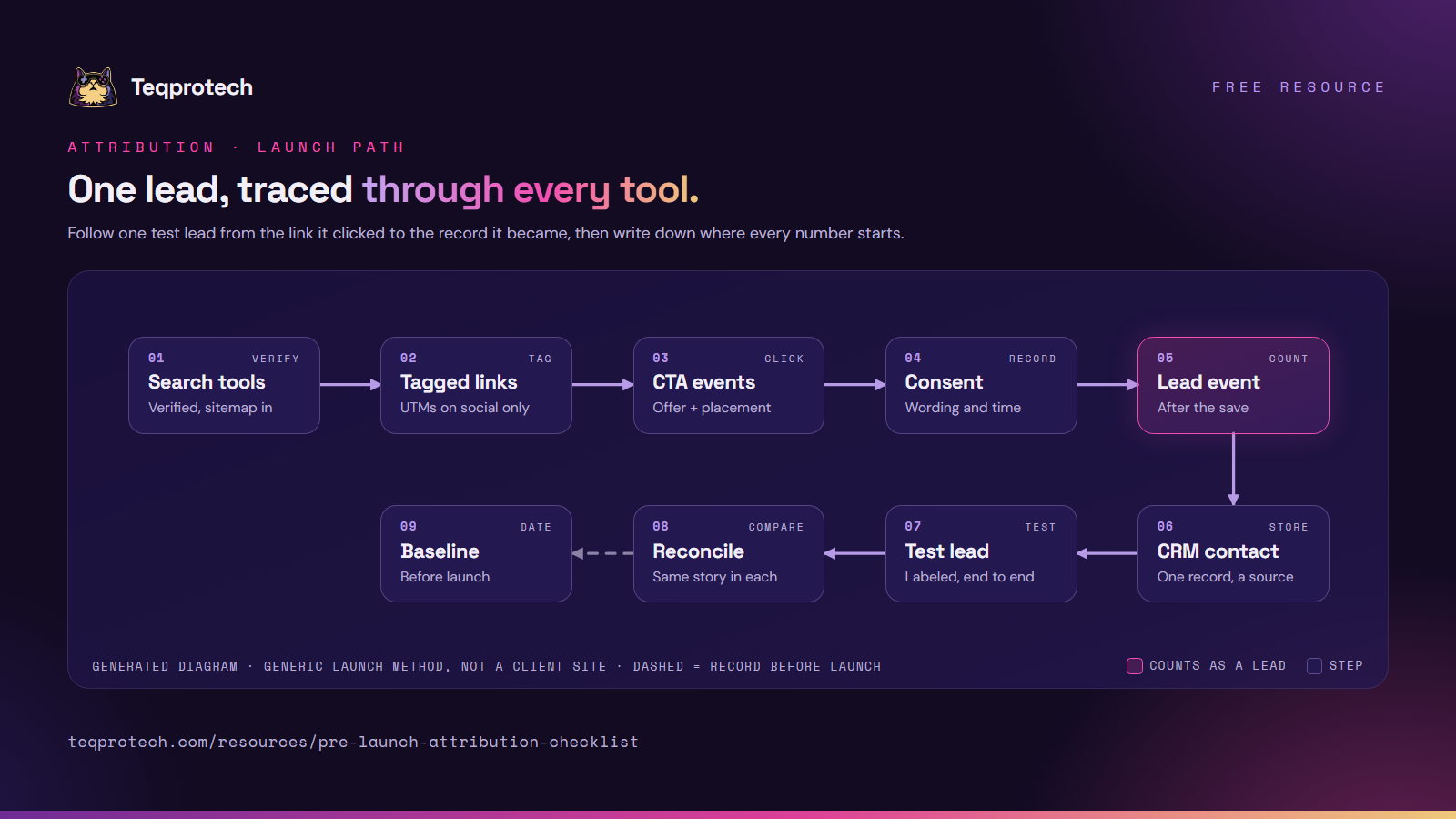
Pre-launch attribution path Verify the site in the search tools and submit the sitemap. Tag the links you post yourself. Record which call to action was clicked, store the consent the person gave, and send the lead event only after the form saved, with no personal data. One CRM contact keeps the source. Send one labeled test lead, reconcile it across the tools, then record a dated baseline. Search toolsVerified, sitemap in Tagged linksUTMs on social only CTA eventsOffer and placement ConsentWording and time Lead eventAfter the save CRM contactOne record, a source Test leadLabeled, end to end ReconcileSame story in each BaselineDated, before launch Pre-launch attribution path Verify the site in the search tools and submit the sitemap. Tag the links you post yourself. Record which call to action was clicked, store the consent the person gave, and send the lead event only after the form saved, with no personal data. One CRM contact keeps the source. Send one labeled test lead, reconcile it across the tools, then record a dated baseline. Search toolsVerified + sitemap Tagged linksSocial only CTA eventsOffer + spot ConsentWording and time Lead eventAfter the save CRM contactOne + source Test leadLabeled ReconcileSame story BaselineDated
Main path Decision or human step Optional or feedback pathGenerated diagram of a generic pattern, not a screenshot of a client system.
Read the flow as text
  1. Search tools: the live address is verified and the sitemap has been read.
  2. Tagged links: campaign parameters only on links you post yourself.
  3. CTA events: each click names the offer and where the button sat.
  4. Consent: the wording the person saw is stored with a timestamp.
  5. Lead event: sent once, after the form saved, with fixed values only.
  6. CRM contact: one record per person, with the first source kept.
  7. Test lead: one labeled submission through the live form.
  8. Reconcile: analytics, the CRM and the inbox agree.
  9. Baseline: record today's numbers with the date, even if they are zero.

Download and share

Pre-launch attribution path diagram in nine steps. Top row: search tools (verified, sitemap read), tagged links (UTMs on social only), CTA events (offer and placement), consent (wording and time), then the lead event, sent after the save. Bottom row: one CRM contact with its source, one labeled test lead, reconcile so every tool tells the same story, then a dated baseline before launch.

Download the diagram (PNG)

The attribution path on one image, for a launch runbook. Please credit and link this page.

PNG · 1600 × 900 · 320 KB Download the diagram (PNG)
Cover page of the pre-launch attribution checklist summary: 25 checks in nine groups, with the Teqprotech cat mascot.

Download checklist summary (PDF)

The nine groups on five pages, one line per group, for a launch meeting. For every check with why and how, use Print or save as PDF above.

PDF · 5 pages · 2.4 MB Download checklist summary (PDF)
Checklist · Search tools

Verified before the first visitor.

  • The live address is the verified property. Why: a property for a staging host or the http version reports on a site nobody visits. How to check: in Google Search Console and in Bing, open the property and confirm it is the exact https address you will promote.
  • Verification survives the next deploy. Why: a tag pasted into one page can vanish in a redesign, and the tool stops trusting you. How to check: prefer a DNS record, or render the tag from the site template so every release carries it; Bing can also import a verified Search Console site.
  • The sitemap was submitted and read. Why: the tool shows when it last read the file and how many addresses it found. How to check: submit the sitemap in both tools, wait for a successful read and compare the count with the pages you meant to publish.
Checklist · CTA events

Know which offer started it.

  • Each call to action sends a named event with its location. Why: a lead total can't tell you whether the hero button or the closing band did the work. How to check: click two buttons on the same service page and confirm one event name with two different location values.
  • The event carries the service, not the visitor. Why: page context is enough to compare offers. How to check: read the parameters: a service key, a page type and a placement, all from fixed lists.
  • A click is not counted as a lead. Why: clicking shows interest; only a saved submission is an inquiry. How to check: in analytics, mark only the form event as a key event and leave the click events unmarked.
Checklist · Form events

Count submissions the server kept.

  • The lead event waits for the save. Why: an event fired on the button counts validation errors, spam blocks and server failures as leads. How to check: submit once with a required field empty and once correctly; only the saved one should appear in the debug view.
  • One submission sends one event. Why: a double click or a reloaded thank-you page doubles the count. How to check: double-click the submit button, then refresh the confirmation, and count the events.
  • Each form says which form it is. Why: a full contact page and a short inline brief convert differently. How to check: confirm a form type value on the event for every form on the site.
Checklist · Privacy

Nothing personal in analytics.

  • Event values come from fixed lists. Why: free text sends names, emails and phone numbers to a tool whose terms forbid them. How to check: in the debug view, read every parameter of the lead event and accept only picked values, such as an industry key or a two-letter country code.
  • Addresses carry no form contents. Why: a confirmation URL with an email in it is recorded with every page view. How to check: after a test submission, read the address bar and the page location the tag sent.
  • Privacy signals switch tracking off. Why: a visitor who sends Do Not Track or Global Privacy Control has said no before any banner. How to check: turn the signal on in a test browser and confirm no analytics request leaves the page.
Checklist · Consent

Record what each person agreed to.

  • The wording is stored with the record. Why: months later, someone may ask what the person actually saw. How to check: open the test contact and find the consent text or its version, the page it came from and a timestamp.
  • Asking for a quote stays separate from marketing permission. Why: a request for help is not a request for newsletters. How to check: confirm marketing permission is its own unticked choice and arrives in the CRM as its own field.
  • An opt-out reaches every tool. Why: a person who unsubscribes in one system can keep receiving messages from another. How to check: unsubscribe the test contact and look for the suppression in the CRM and in each sending tool.
Checklist · CRM source

One contact, one origin.

  • The form passes its source to the CRM. Why: analytics and the CRM can't be joined on personal data, so the CRM needs its own copy of the origin. How to check: capture the landing page, referrer and campaign values in hidden fields, and find them on the test contact.
  • The first source is never overwritten. Why: a second visit from a newsletter would erase the post that brought the person in. How to check: keep separate first and latest source fields; submit again from another tagged link and confirm only the latest one changed.
  • A repeat inquiry updates the same contact. Why: a second record splits the history. How to check: submit twice with the same email and look for one contact with two inquiries on it.
Checklist · End-to-end test

One labeled lead, every tool.

  • Send one real test through the live form. Why: tools that pass on their own can still drop the lead at a handoff. How to check: open a tagged link, submit with an obviously fake name, and find it in the debug view, the CRM and the notification inbox.
  • Every tool tells the same story. Why: if analytics says social and the CRM says direct, one of them is set up wrong. How to check: compare source, campaign and time for the test lead across the tools, then label it and keep it out of reports.
Checklist · Baseline

Write the starting line down.

  • A dated snapshot exists before launch. Why: without a starting number, no later number can be called a change. How to check: record the date, the date range and each figure you will compare later (search clicks and impressions, sessions by source, key events, new contacts by source), even when it is zero, and save screenshots.
  • Tracking changes have a log. Why: a fixed tag mid-month looks exactly like a jump in demand. How to check: keep one dated line per tracking change next to the baseline and read it before every monthly report.
After the checklist

Launch, then compare like with like.

Fix anything that failed the end-to-end test, then send a second labeled lead and reconcile it again. After launch, compare the same date ranges, from the same tools, against the dated baseline. Consent rules differ by market and by message type; this list checks that you record consent, not what the wording should say, so have your adviser review the wording itself.

Start here

Want a second check before launch day?

Tell us what is launching and which tools should record the leads. The brief form opens with workflow automation selected; we start with one test lead and follow it through every tool.